

Structured data is a block of code that tells search engines, in a format they can read without guessing, exactly what your business is called, where it is and when it is open. It isn’t magic and it doesn’t guarantee anything — but it is one of the few technical jobs on a small business site worth getting right.
What it actually does
Google’s documentation explains the purpose plainly: “When users search for businesses on Google Search or Maps, Search results may display a prominent Google knowledge panel with details about a business”, and people searching for a type of business “may see a carousel of businesses related to the query.”
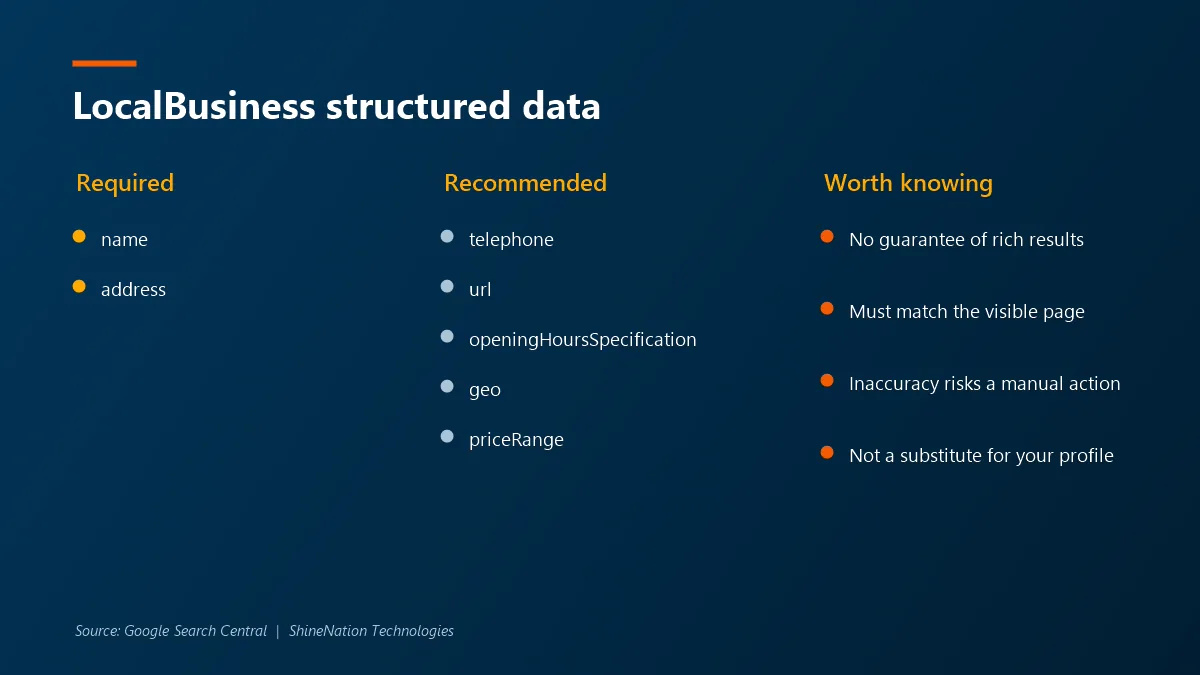
Note the word “may”. Google states directly that it “does not guarantee that features that consume structured data will show up in search results.” Anyone promising you rich results in exchange for adding code is overselling it.
What markup does reliably is remove ambiguity. Without it, a search engine has to work out which lump of text on your page is the address and which is a phone number. With it, you have told it.
What goes in it
For a local business, Google lists two required properties:
- name — the business name
- address — the physical location, as a postal address with street, locality, region, postal code and country
And a set of recommended ones worth adding:
- telephone and url
- openingHoursSpecification — your opening hours in a structured form
- geo — latitude and longitude
- priceRange
- Type-specific extras, such as servesCuisine and menu for food businesses
If you have genuinely distinct departments under one roof, the department property exists for that, and Google suggests naming them as store name plus department name.
The part that catches people out
LocalBusiness markup expects a physical address. If you travel to customers and don’t have premises they visit, don’t publish a home address in your markup just to fill the field, and never publish a P.O. Box as if it were a street address. It is better to describe the organisation without an address than to publish one that misrepresents where you operate.
That is not a stylistic preference. Google warns: “If your site violates one or more of these guidelines, then Google may issue a manual action against it.” Markup that disagrees with reality — hours you don’t keep, a location you don’t work from, ratings you invented — is the fastest route there.
A sensible order to do this in
- Get the facts straight first. One business name, one phone number, one set of hours, used identically on the site, the markup and every listing.
- Add the markup to the page it describes — your contact or home page for the business itself.
- Keep it in step with the visible page. If the page says you close at 5, the markup must too.
- Test it with Google’s Rich Results Test before and after.
- Revisit it when anything changes. Markup rots quietly: a changed phone number nobody updated is worse than no markup at all.
What it won’t do
- It won’t move you up the rankings by itself.
- It won’t replace a Google Business Profile — the profile is what feeds the map results.
- It won’t fix thin pages, missing reviews or a slow site.
Think of it as accurate labelling. The groundwork that actually moves local visibility is in our local SEO checklist, and the profile rules are covered in the service-area business guide.
Want your markup checked?
We can look at what your site currently tells search engines, fix anything inaccurate, and make sure it matches your listings — without inventing a single detail.