
Most hacked small business websites were not targeted. They were found by a script looking for out-of-date software, and the owner only noticed when customers started seeing warnings. Here is what WordPress and Google actually recommend, in the order worth doing it.
Keep everything updated
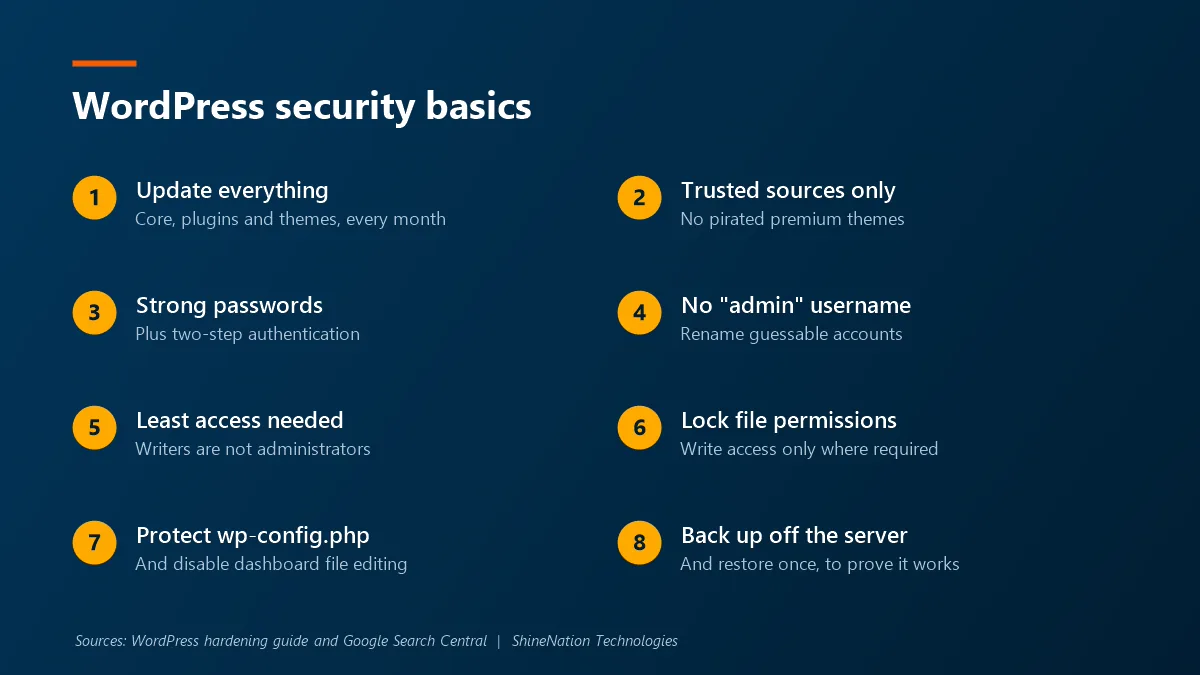
WordPress’s own hardening guidance is unambiguous: “you should always keep up to date with the latest version of WordPress.” Older versions stop receiving security patches, and the vulnerabilities in them are public.
Google’s advice for preventing malware begins in the same place: “Stay up-to-date with the latest software updates and patches.”
That includes plugins and themes, which is where most problems actually start. If a plugin hasn’t been updated by its developer in years, that is a reason to replace it, not to keep it.
Only install things from sources you trust
WordPress puts it directly: “Do not get plugins/themes from untrusted sources.” Stick to the WordPress.org repository or a known vendor.
The classic small business mistake is a “free” premium theme downloaded from somewhere unofficial. You are not getting a discount; you are installing somebody else’s code with somebody else’s additions.
And do remove what you don’t use. A deactivated plugin still sits on the server.
Passwords and accounts
- Use a strong password, mixed characters, no names or dictionary words — and turn on two-step authentication, which WordPress explicitly recommends. Google’s guidance is the same in short form: “Choose good passwords.”
- Don’t use obvious usernames. WordPress advises against guessable ones such as “admin” or “webmaster”; an existing account can be renamed.
- Give people the access they need, not more. Your content writer does not need administrator rights.
- Remove old accounts — the previous web designer, the member of staff who left.
Files and configuration
- Lock down permissions. WordPress: “It is best to lock down your file permissions as much as possible”, granting write access only where it is needed.
- Protect wp-config.php. The guidance is to “make sure that only you (and the web server) can read this file”, with the option of moving it above the web root. Adding
define( 'DISALLOW_FILE_EDIT', true );switches off editing theme and plugin files from the dashboard — a line worth adding, since that editor is a favourite of attackers who get in. - Limit database privileges. WordPress notes the database user generally only needs read and write rights, with structural rights such as DROP, ALTER and GRANT revoked — though back up first, as some updates need them temporarily.
Back up, properly
WordPress’s instruction is simple: “Back up your data regularly, including your MySQL databases.”
Two things that make a backup real: it is stored somewhere other than the same server, and you have restored from it at least once. An untested backup is a hope, not a plan.
Watch for trouble
Google’s prevention guidance suggests keeping “an eye on your log files”, checking your “server configuration”, and periodically searching your own site with the site: operator to spot pages you didn’t publish — the gibberish URLs and pharmaceutical pages typical of an injection hack.
Search Console will tell you too: “The Security Issues report shows any hacked pages that Google has identified on your site”, along with instructions for fixing them. Make sure its emails reach someone who reads them — our guide to Search Console covers getting that set up.
If it has already happened
Don’t simply delete the strange pages and hope. The sequence that works is: take the site offline or into maintenance while you clean it, back up the current state even though it contains the hack, find and fix the way in — an old plugin, a stolen password — clean the content, update everything, change all passwords, and only then request a review in Search Console. If you can’t find the entry point, you will be cleaning it again next month.
This is also the strongest argument for maintenance being a routine rather than a reaction, which is what our maintenance guide sets out.
Not sure how exposed your site is?
We can check which versions you are running, what is out of date, whether backups exist and whether anyone is watching the alerts — and tell you what to fix first.