

For most local businesses, the phone is the enquiry. If calls aren’t counted, your advertising reports describe a business that isn’t yours. Here are the ways Google Ads can track calls, what each one needs, and what the numbers do and don’t tell you.
The five kinds of call tracking
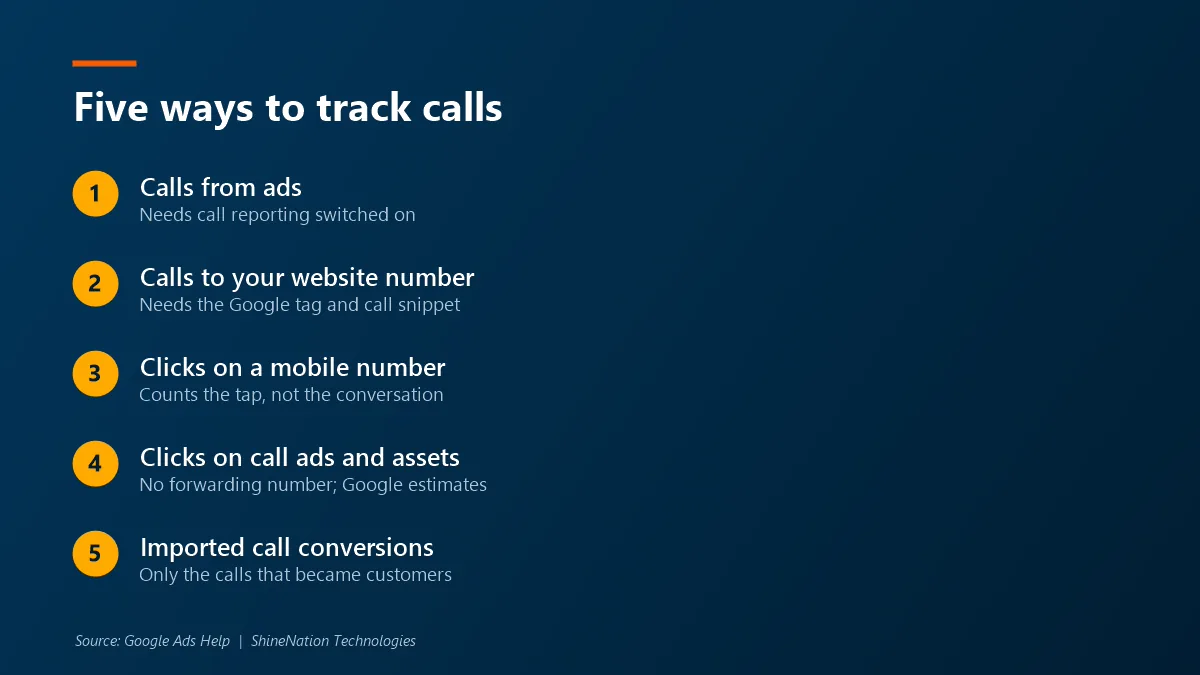
Google Ads documentation lists five, and they are not interchangeable:
- Calls from ads — calls made from call-only ads, or from call and location assets. Needs call reporting switched on, with the “calls from ads” conversion action active and set as a primary goal.
- Calls to a number on your website — someone clicks your ad, lands on your site, and calls the number shown there. Needs the Google tag plus a website call event snippet, and call reporting if you use forwarding numbers.
- Clicks on a number on your mobile website — and here is the catch: only the clicks are tracked, not the calls. Somebody tapping your number is not proof they spoke to you.
- Clicks on call ads and assets — counted without a forwarding number, with Google estimating whether a meaningful call followed.
- Imported call conversions — call data from your own system, such as a CRM, brought into Google Ads. This is the one that lets you count only the calls that turned into work, and give them values.
Forwarding numbers, explained plainly
Google’s documentation is direct: “Tracking call conversions from ads and from a website and importing call conversions require Google forwarding numbers.”
A forwarding number is a number Google displays in place of yours, so the call can be attributed, then passes straight through to your real line. The customer notices nothing. Two practical points: the number belongs to Google and can change, so never print it on a van or a card, and only one number per page can be tracked with the standard setup.
The minimum call length setting
For calls from ads and calls to a website number, Google explains: “You set a minimum call length, and every call that lasts at least that long is counted as a conversion.”
This setting matters more than it looks. Too short, and wrong numbers and hang-ups count as enquiries. Too long, and the quick calls where someone books on the spot are thrown away. Think about how long your genuinely useful calls actually run, and set it from that.
What to do if you advertise and take calls
- Turn on call reporting and set up calls from ads.
- Add website call tracking for the number on your site, so ad-driven calls are attributed properly.
- Set a sensible minimum call length, then revisit it after a month against your own records.
- Don’t count mobile number clicks as enquiries. Keep them as a secondary metric; they are a hint, not a result.
- If you have a CRM, import the calls that became customers, so the account learns which clicks produce work rather than noise.
- Test it once a quarter. A changed phone number or a redesigned site breaks this silently.
The honesty test
At the end of a month, compare Google’s call conversion count with how many calls you actually remember taking from new customers. If the numbers are far apart, don’t argue with the account — go and find why. Either real enquiries aren’t being counted, or hang-ups are being counted as wins.
Call tracking only matters because of what it fixes: without it, campaigns that produce phone enquiries look identical to campaigns that produce nothing. The rest of the measurement setup is covered in our conversion tracking guide, and if the clicks are arriving but the phone stays quiet, work through the clicks but no leads checklist.
Not sure your calls are being counted?
We can check an account with read-only access and tell you which calls are tracked, which aren’t, and whether the numbers you are making decisions on are real.